Store Login Access for Magento® 2 (v1.5.1)
Compatibility:


You may also be interested in Have a private or wholesale store? Want only registered customers browse your catalog, see prices, and place orders? Hide the entire store behind the login form using the Store Login Access extension for Magento® 2. Features
Screenshots: 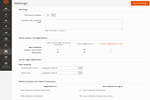 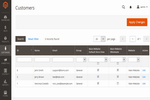 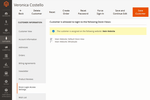 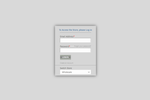 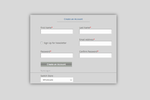  Details Video Tutorial
The Store Login Access extension for Magento 2 is a useful tool to avoid spam and control the store access permissions to ensure your store safety. Hide your store behind the login or registration forms for certain store views. Make unregistered customers create accounts within chosen stores only. You are able to disable the frontend registration form if you want to create customer accounts from the backend. Or give the registered customers priority to log in and browse your online store. You can manage the store view visibility per registered customer and assign members to different store views from backend. Allow/disallow registration for certain store viewsYou are able to select store views new members have access to based on store view they are registered on. You can allow registered wholesalers to login and make purchases as retailers, but limit the retailers' or regular customers' activities within the retail store. Customers won't be able to login as wholesalers as you allow the limited permission to the particular store. You can also limit the access to your store by disabling the registration form for each store view. Or extend the registration customer profile by using the Registration Fields Manager extension for Magento 2. You can add more custom fields to the registration form and enable it by marking checkbox in the last column. 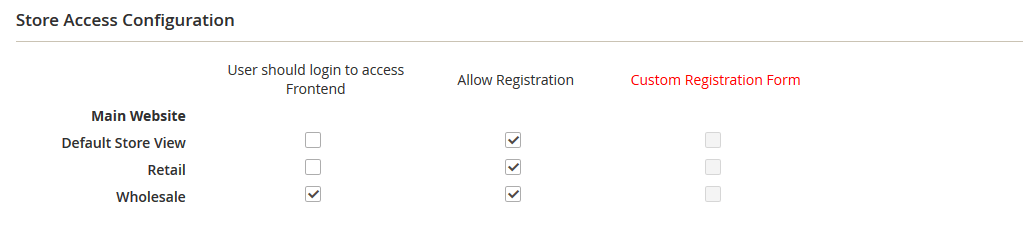 Share registered accounts between storesNow your customers are able to share an account between different store views if other settings are not specified by admin. You can allow retailers to login in a default store view but limit access to the wholesale one. But wholesalers can switch between different accounts as particular checkboxes are marked. 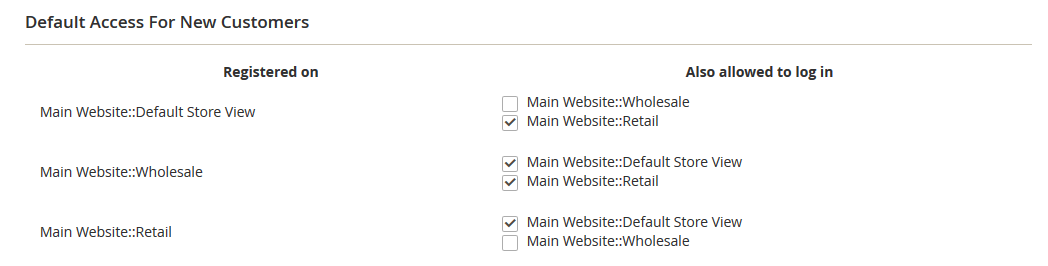 Protect your frontend with login formIf you specify the access permission customers will see the login form as the whole store will be hidden. If users try to login within a hidden store view they will get the message notifying about the forbidden access. Unhide specific pages and URLsWant to make certain pages visible for your all customers? The extension allows to exclude specified URLs to unhide some pages, for example ones with the privacy policy or the terms and conditions. Thus you can provide all necessary information for customers without requiring login. 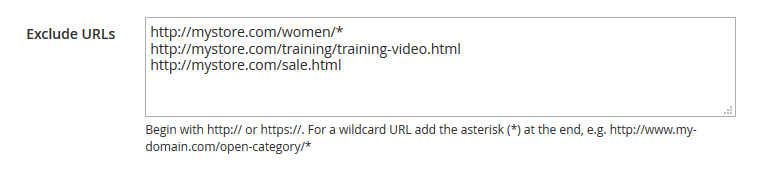 Manage store permissions per customerYou are able to provide an individual access to different store views by managing permissions per customer or apply the settings for multiple users in bulk. Just define the access on the grid by checking the necessary options or edit the permissions per customer's settings. 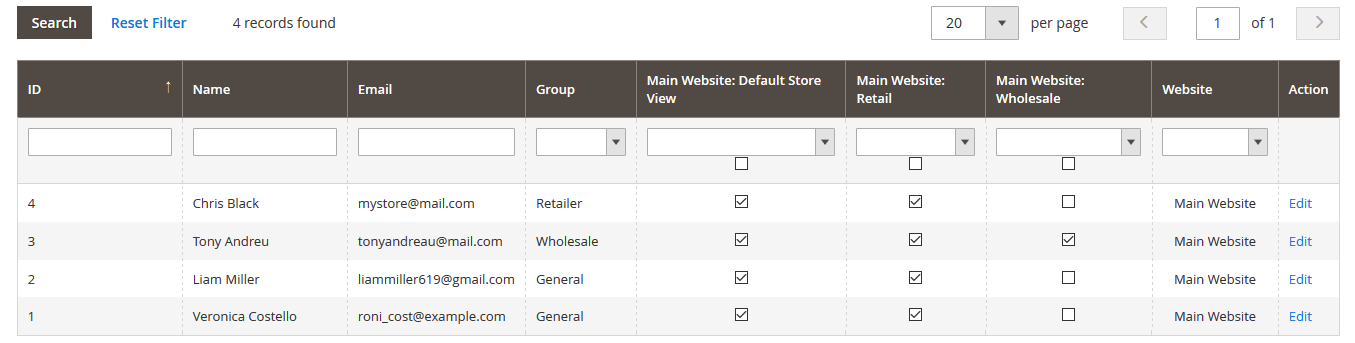 Define custom login redirectsNow your customers won't be redirected to the customer dashboard every time after logging in. Configure redirects per certain store view to predict customers' actions and future deals. 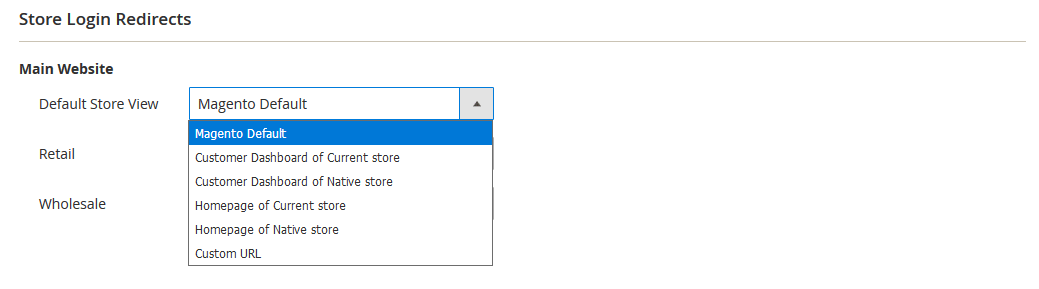 Use the Store Login Access extension for Magento 2 in combination with the Pending Registration extension to approve new registrations manually. Or use the Registration Fields Manager to add custom fields on the registration form. Make your store private and protect from the bot attacks using the Store Login Access extension for Magento 2.
Reviews
Customer Reviews
No reviews yet
Questions & Answers
Questions & Answers
Victor Cardenas - 7 years ago Question: I have two domains, one for production and the other for development, when I buy a license, they allow me to do tests on my development site and then publish it on both development and production sites. Or will I have to buy a license for my test site and another for the production site? ITORIS Team - 7 years ago Answer: Hello Victor,
Ken - 8 years ago Question: hello
ITORIS Team - 8 years ago Answer: Hello Ken,
Chris Kim - 8 years ago Question: Hi
ITORIS Team - 8 years ago Answer: Hi Chris,
Change Log
Legend: + - new feature * - bugfix ^ - improvement - - excluded feature 1.5.1 (2021-04-09) + Added compatibility with Magento 2.4.2 1.5.0 (2020-08-13) + Added compatibility with Magento 2.4.0 1.4.3 (2019-04-04) + Added compatibility with Magento 2.3.1 1.4.2 (2019-03-12) ^ Added compatibility with the Registration Fields Manager extension 1.4.1 (2019-03-08) * Fixed issue with editing store accesses on the list of all customers 1.4.0 (2019-02-18) + Added compatibility with Magento 2.3.0 1.3.7 (2018-05-18) * Fixed issue with Captcha on the forgot password form ^ Improved security of frontend forms 1.3.6 (2018-05-11) * Fixed issue with cachable blocks in Magento 2.2.4 1.3.5 (2017-10-25) * Fixed issue with restricting store access while switching between store views on frontend 1.3.3 (2017-04-03) * Fixed issue with calendar if field DOB enabled 1.3.2 (2016-11-30) * Fixed issue with the default page title 1.3.1 (2016-11-14) * Fixed issue with compilation 1.3.0 (2016-09-12) ^ Source code improved to conform with Magento code standards 1.2.0 (2016-08-09) ^ added possibility to exclude urls by a wildcard mask 1.1.0 (2016-07-15) ^ Fixed ACL roles 1.0.3 (2016-07-13) ^ Added compatibility with M2.1 1.0.2 (2016-05-05) * Fixed compatibility with DB table prefixes * Fixed error with Tax\Vat field on the registration form 1.0.1 (2016-04-15) ^ Layout made responsive CSS\HTML ^ Compatibility with Itoris modules: AJAX Login and Registration, Pending Registration, Registration Fields Manager 1.0.0 (2016-03-29) + Extension released 10 REASONS TO CHOOSE

|