Email Templates Manager (v1.2.0) for Magento  
    The Email Templates Manager provides a convenient visual editor to edit system emails. No need to create transactional emails for each store and link them in Magento config anymore. Typically to change texts or translate something you create a transaction email. There are a lot of system emails in Magento and if you have multiple websites this is a lot more transactional emails. Not useful, a lot of actions to change something. The Email Templates Manager simplifies the process greatly. The extension deals with system email templates directly bypassing the transactional emails. You have the list of system email templates and the configuration scope with all your store views. Pick up a store view (or leave the default config to edit it for all store views) and a email template to edit. The WYSIWYG appears below for you to edit the email subject and body for selected template. No page reloads, everything is done using AJAX. Natively Magento doesn't provide WYSYWYG for transactional emails. Using the Email Templates Manager you enable the rich-text editor. Natively Magento doesn't allow to add CC and BCC to emails. Now you can set one or several emails in CC/BCC fields to receive a copy on your additional email address. Natively Magento doesn't allow to edit the "from name" and "from email" fields for each email template. Make it possible with our extension. Natively Magento doesn't allow to attach files to email templates. The extension allows that. If you need to attach agreements, demos, additional documents to your emails the Email Templates Manager will be of help. In addition, the extension helps to fight the SPAM issue, when emails from your store come to Spam or Junk folder of mailbox. The issue happens because Magento doesn't add tags and to emails in HTML format. The Email Template Manager solves the issue. Features:


Tutorials and Help Screenshots 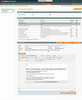 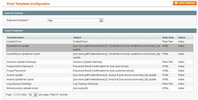 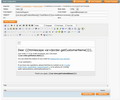 Reviews
Customer Reviews
Beautiful extension, very useful and easy to use! Beautiful extension, very useful and easy to use, just working after instalation, with the latest update you can now change all the email that is simple and fantastic! excellent support after installation, very professional and quick. recommended! Review by MOMAStores - Mar 18, 2014 Very Useful Extension I installed the extensions and soon was working!! with the latest update, you can customize all the emails, support after the purchase very efficient. thanks guys I'm very happy, I would recommend this company.
Review by MOMAStores - Mar 18, 2014 Questions & Answers
Questions & Answers
No questions yet
Change Log
Legend:
+ - new feature * - bugfix ^ - improvement - - excluded feature 1.2.0 (2016-10-27) ^ Added compatibility with SUPEE-8788 and Magento 1.9.3 1.1.1 (2016-07-04) ^ Improved compatibility with templates created by other 3rd-party extensions 1.1.0 (2015-11-09) ^ Added compatibility with Magento CE 1.9.2.2, EE 1.14.2.2, and patch SUPEE-6788 1.0.12 (2015-03-30) ^ Added compatibility with Magento 1.9.1.0 1.0.11 (2014-06-12) * Fixed JS issue with saving template 1.0.10 (2014-05-13) ^ Added action url for the form container 1.0.9 (2014-03-14) + Added support for transactional emails not associated with any system template 1.0.8 (2014-03-07) * Fixed ACL admin permissions 1.0.7 (2013-12-16) ^ Converting all HTML characters for the "Plain Text" format * Fixed translation for the menu title 1.0.6 (2013-03-19) * Fixed issue with system email templates which bypass through transactional emails 1.0.5 (2012-12-05) * Fixed issue with the extension registration on the settings page 1.0.4 (2012-06-07) * Fixed dropdown 'View X per page' which was not working for Chrome/Safari * Moved <style> tag from <body> to <head> to comply HTML email standards 1.0.3 (2012-05-17) * Fixed variables popup for Magento CE 1.7, EE 1.12 * Fixed file uploader for windows server 1.0.2 (2012-05-07) * - Fixes for Magento CE 1.7, EE 1.12 1.0.1 (2012-01-04) + Added email template preview ^ Added more mime types ^ Added window scrolling to the top of page when variable is inserted + Replaced " with " in email subject / from name + Changed mail structure to: <html><head></head><body></body></html> to comply HTML email standards 10 REASONS TO CHOOSE

|