Product & Price Visibility Rules (v1.2.2) for Magento  
    The Product & Price Visibility extension can hide products, product prices, or entire categories based on various visibility rules set by admin. If sometimes you need to hide selected products or prices from not registered users and show for registered customers - this module is all you need. You can make selected products completely invisible for some customer groups. Or you can hide their price and ability to add to cart only (for example, your retail customer will not see products visible for wholesalers, or will not see the prices). You can also set custom stock status to selected products or to the entire category. For example write stock message "Available for wholesalers only", or "Log in to see prices". Selected products or their prices can be invisible all the time for some customer groups - or you can set a time limitation (in case you want a featured product be available for wholesalers only for a limited time, and then it should be available to all customers). Product and price visibility rules will be applied to all standard Magento product areas (catalogs, search results, product details’ pages, wishlists, related products’ blocks, and so on). Yet if you wish ability to set visibility rules only within a product’s category, or globally for all products - you can do this with the extensions as well. Features:


Screenshots
DEMO 1: Products' Visibility in the Catalog. Not logged in users see 1 product. Logged in users will see 3 more products. Register a customer to see the difference. DEMO 2: Replace the Price with a custom message. In the example the price has been replaced with custom message "Please log in to see the price".
Screenshots: 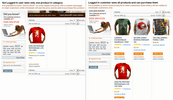 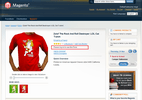 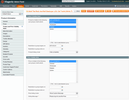 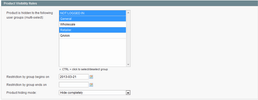 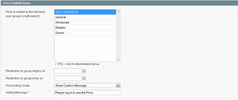 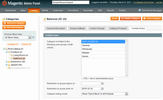
Documentation
DEMO 1: Products' Visibility in the Catalog. Not logged in users see 1 product. Logged in users will see 3 more products. Register a customer to see the difference. DEMO 2: Replace the Price with a custom message. In the example the price has been replaced with custom message "Please log in to see the price". User Guides:
Reviews
Customer Reviews
No reviews yet
Questions & Answers
Questions & Answers
Bergmann - 8 years ago Question: Hello, is it the same as magento standart customer groups?
ITORIS Team - 8 years ago Answer: Hello Bergmann,
Change Log
Legend:
+ - new feature * - bugfix ^ - improvement - - excluded feature 1.2.2 (2017-05-25) * Hiding associated products within the grouped product 1.2.1 (2016-02-08) * Hiding status "out of stock" on the product view for the price visibility rules in RWD theme 1.2.0 (2016-02-05) ^ Removing hidden products from configurable dropdowns 1.1.0 (2015-11-12) ^ Added compatibility with Magento CE 1.9.2.2, EE 1.14.2.2, and patch SUPEE-6788 1.0.18 (2015-04-27) * Fixed issue with category visibility on the cart and checkout pages 1.0.17 (2014-08-12) ^ Improved speed + Added possibility to set "Global" visibility settings for all products in store at once 1.0.16 (2014-05-13) * Fixed issue with redirect to "404 page not found" if product or category is hidden 1.0.15 (2014-05-07) * Fixed issue with the customer groups check 1.0.13 (2014-04-16) ^ Improved inner structure of the extension 1.0.12 (2014-04-04) * Fixed date validation 1.0.11 (2014-01-10) * Fixed issue with flashing "Out of stock" status 1.0.10 (2014-01-04) * Fixed issue with collections for magento v1.7 1.0.9 (2013-12-18) * Speed optimization 1.0.7 (2013-11-15) + added new category rule 'Hide only Category, leave Products visible' 1.0.6 (2013-09-26) * Fixed issue with a long foreign key in the database 1.0.5 (2013-06-24) * Some fixes for grouped products 1.0.4 (2013-06-01) * Fixed conflict issue with wishlist 1.0.3 (2013-05-03) + New visibility rule added: Show Price but disallow adding to Cart 1.0.2 (2013-04-26) ^ Allow products inherit related category visibility rules 1.0.1 (2013-03-25) * Fixed compatibility with Magento 1.4.x 10 REASONS TO CHOOSE

|