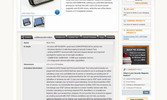
Product Tabs Slider module creates a modern tabular interface on your products’ pages, thus organizing all products’ information in a well-ordered way and making it more user-friendly. This Magento tab extension is a great way to make things easier for your customers, search engines and you!
Your customers no longer scroll pages down and down to find all products’ information - all organized and provided in a tabular interface. You can set tabs to be changed on click or on hover.
No extra coding for you to create tabs - the module will use standard Magento product blocks and create tabs from them. If your layout has no blocks - they can be declared there. Each tab has a unique anchor, so you can copy URL and point your customers to a selected tab on products’ pages.
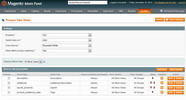
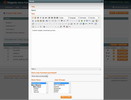
You can create standard tabs that will pull data from products’ attributes, as well as custom tabs, where you can add any content you wish - texts, images, links, videos, even Magento widgets. Please see our demo with contact form and Questions/Answers functionality inserted into tabs.
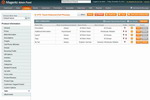
Moreover, you can create a separate set of tabs for each store/storeview, as well as change tabs for each product individually (add unique tabs or exclude some standard ones).
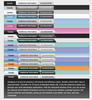
Scrolling for tabs appears automatically when there are more tabs than the page can display. There is a way to select where in your layout the tabs should be displayed with primary tab. Pre-created responsive design schemes (ideal for mobile and desktop templates) to meet your website’s look as well as ability to switch beautiful sliding effect when tabs are changed - all this allows adding and designing tabs literary in minutes for your stores.
Search engines still index all your tabs, so no information will be lost for search engines.
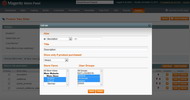
You can make tabs available for selected customer groups only. Also you can create tabs visible for the customers who have purchased the product or for those who have not purchased this product yet only.
Features:
- Standard tabs are formed automatically (no structure or design coding) from product blocks
- Custom tabs can contain any content you wish - texts, links, images, videos
- Ability to insert Magento widgets into custom tabs
- Both standard and custom tabs to be created for all products together
- Ability to create a separate set of tabs for each store/storeview
- Ability to manage set of tabs for each product individually (add unique or remove standard tabs)
- URL anchors for each tab (you can make a link pointing to a selected tab)
- Product attributes to be pulled to tabs as variables
- Pre-created design schemes
- Scrolling (left/right) to appear when there are more tabs that the page can display
- Full indexation by search engines
- Tab visible only for the customers who have purchased this product (for downloadable user manuals)
- Tab visible only for the customers who have not purchased the product (for pre-sale questions and proposals)
- Tabs to be visible for selected customer groups only
- Each tab to make available for selected stores/storeviews individually
- *NEW* Responsive design
- *NEW* Load Tabs using AJAX. Reduce initial page size
Full version for Magento Community Edition
Pack includes:
- Extension for Magento CE 1.4.x, 1.5.x, 1.6.x, 1.7.x, 1.8.x, 1.9.x
-
License key for 1 Magento Website†
- ZIP Package for Unlimited installations†. No special Installer required‡.
- Full Open Source. Ideal for Customizations
- FREE Support
- Documentation
‡ Simply unpack the .zip archive to the root of your Magento.
License:
Full Regular$69.00
Full Regular$69.00
Premium License$99.00
Multi-Host License$336.00
Quantity:
1$69.00
1$69.00
2$124.20(10% off)
3$175.95(15% off)
4$220.80(20% off)
5$276.00(20% off)
6$331.20(20% off)
7$362.25(25% off)
8$414.00(25% off)
9$465.75(25% off)
10$483.00(30% off)
Need Installation?
No
No
1$49.00
2$88.20(10% off)
3$124.95(15% off)
4$156.80(20% off)
5$196.00(20% off)
6$235.20(20% off)
7$257.25(25% off)
8$294.00(25% off)
9$330.75(25% off)
10$343.00(30% off)
Support:
4 months(included)
4 months(included)
6 months$59.00
1 year$99.00
Demo and Tutorials
Have a look at our demo – what you get after you purchase Product Tabs Slider for Magento. Product Tabs Demo
Video Tutorial:
There is a User Guide available as well. You can read it online or download as PDF.
Screenshots
Reviews
Questions & Answers
Change Log
10 REASONS TO CHOOSE

|
Risk-Free Investment
No risk at all. 60-day money back guarantee.
|
Simple Licensing
One license per one Magento® installation. No store, website, or domain limitation. No monthly or hidden fees.
|
|
Free Updates
Get six months of free updates! Simply download the latest version of your favorite extension from our website when you need it.
|
Free Installation Service
Contact Us and we will help you install our extensions absolutely for FREE.
|
|
Full Open Source
No obfuscation, no encryption. Only Full Open Source extensions. Ideal for customizations.
|
Following Magento® Standards
All our extensions are written following Magento® code standards.
|
|
Professionally Tested Modules
We do our best to keep quality of our extensions: performance, functional, and cross-browser testing.
|
Comprehensive Documentation
Detailed documentation for all extensions is available online and in PDF. Forum and FAQs.
|
|
Outstanding Support
Free and friendly EST time support. Help, tips & tricks, and even small customizations will be provided.
|
Long Term Strategy
8+ years in eCommerce. We grow to provide you even better services and extensions, and are always open to customers' suggestions.
|