Username
Password
Remember Me
Log in
Forgot your password?
Forgot your username?
Forgot your username?
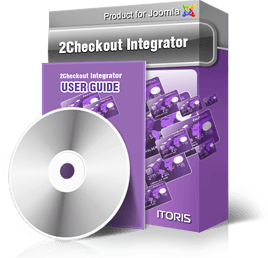
2Checkout Integrator for Joomla websites (v2.0)
Compatible with Joomla 1.5.x, 1.6.x, 1.7.x, 2.5.x, and Joomla 3.x!!! New Joomla component to manage your payments - 2CheckOut Integrator binds your site and account in 2CO payment system. Manage the style of your buttons, check both the statistics of visits/clicks and the real-time payments' statuses. From the back-end you will see what is going on with the payments - if they have passed through the validation successfully, if the payment is received, etc. Both short and full details of the payments can be checked there. Normally payment systems validate the payment initially (the result is available immediately) but physically take the payment in some time (up to several days). With usual extensions you will never know the actual status of your payment, and will have to login to your 2CO account to check them manually. Our 2CheckOut Integrator makes life much easier, it sends requests to your account regularly and checks all statuses for you. It will always display the actual real0time statuses of the payments. Sometimes the same product should have different styles of purchase links/buttons. You can add the styles via admin area and easily manage them. You will see the preview - how your buttons or links will be displayed for your users. You can add Buy buttons/links to the articles and modules of your site. With one click you can publish/unpublish your buttons. Payments' data can be exported to .csv file. The extension is provided under GNU General Public License.
Pack includes:
2Checkout
Integrator Professional installation +$49
$69.00
It includes:
Support Membership
for the term of $99.00
Features Compatibility features 2CheckOut Integrator is fully compatible with Joomla 1.5.x, 1.6.x, 1.7.x, 2.5.x, 3.x. We also support a wide list of the most popular browsers. Publishing With our 2CheckOut Integrator you can add Buy buttons or links to the articles and modules of your site. Managing products You can create a new product in your 2CO account, set its properties and connect it with the product in 2CheckOut Integrator. Sometimes you will need several buttons for one product – to work the same but to look in a different way. Easy with 2CheckOut Integrator. It provide the concept of coupons, each different button of the same product is a coupon. They can be managed separately and will have different statistics Managing Orders The most important part of any payment gateway is orders. You will need actual, up-to-date statuses of your orders, tracking of order history, ability to see full details of the order. It is easy with 2CheckOut Integrator. Statuses are updated regularly, all history is available, and there is no need to login to 2CO account to track the payments – everything is on your site. Export and Invoicing You can export the orders in .csv files. You can choose of either to export all orders or the selected ones. Also the ability to set the export is provided, so you will not get the mess up in your .csv document. Some of your clients will need invoices. With 2CheckOut Integrator it’s easy. All you need is to create the template of the invoice once (in WYSIWYG – very similar to the way you create articles for your site). After that with one click you will receive the ready PDF invoice filled with the customer’s data. Events 2CheckOut Integrator has the embedded script editor and Events area. You can change the behavior of the component depending on the event. For example, email will be sent to administrator when a new purchase is made. The email template is also of WYSIWYG-style, you can create any look of it you need and pre-fill it with the purchase’s data automatically. Manage Back-end Permissions There is the ability to limit back-end permissions so that only selected managers can have access to the component. Even more of it in 2CheckOut Integrator – you can set permissions to different areas of the extension, so that some managers can check payment statuses only, others can manage products, etc. System Requirements
Server side requirements:
Licensing
2Checkout Integrator license includes:
There are no limitations in updates' downloading - please feel free to keep your version up-to date. Support is provided as a separate service, please check Support page to find out more details. There is also plenty of data available starting from simple how-to cases and up to sophisticated tips and tricks. Please check the documentation page. Support We offer a brand new approach to support of our extensions. Choose a period for support and with purchasing one membership ticket receive the help for all our extensions together! When you purchase another product – it will be added to your support membership ticket to the rest of its period left automatically. With support service you receive the access to our online Help Desk during the set period. We guarantee fast and professional help of both our quality assurance engineers and developers. Our support is provided in English only. Please check our Terms of support service to find out what is included in support. If you are not sure of whether your issue is within the support framework or not – please contact us describing the issue prior to purchasing a support membership. Documentation |