Why using it
Installing extensions for Magento can beat your brains out sometimes, so to facilitate the task with our extensions and design theme we have developed IToris Installer.
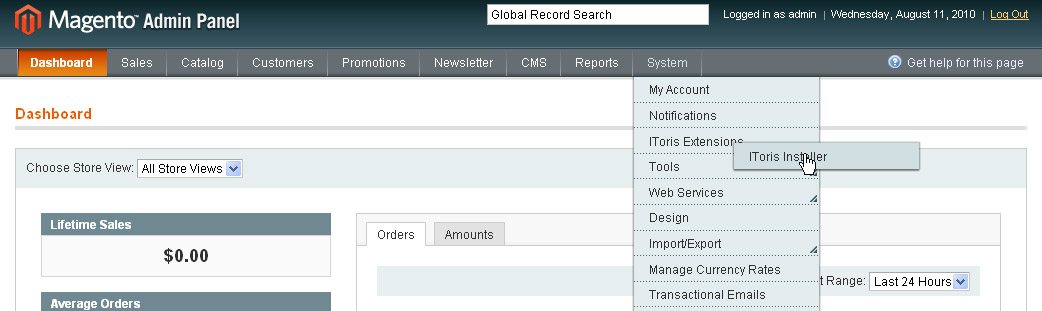
All you need is to download it and unpack to the root of your site. After that you will see it in the menu in admin area (System –>IToris extensions –> IToris Installer). Open it and get the user-friendly interface to manage our products – now you will see all installed and available IToris extensions and themes, can update, activate and install them with one click.
How to use IToris Installer
This video is a good quick start
- Download the Installer and save it locally
- Unpack the archive to the root of your website
- Go to admin area of your website, select System –>IToris extensions –> IToris Installer
The Installer has two pages for management to be more convenient – IToris products and IToris Templates. By defaults Products’ page is selected.
The products are grouped there – first you will see the products that are installed already, then there will go the products available from IToris that you have not got yet.
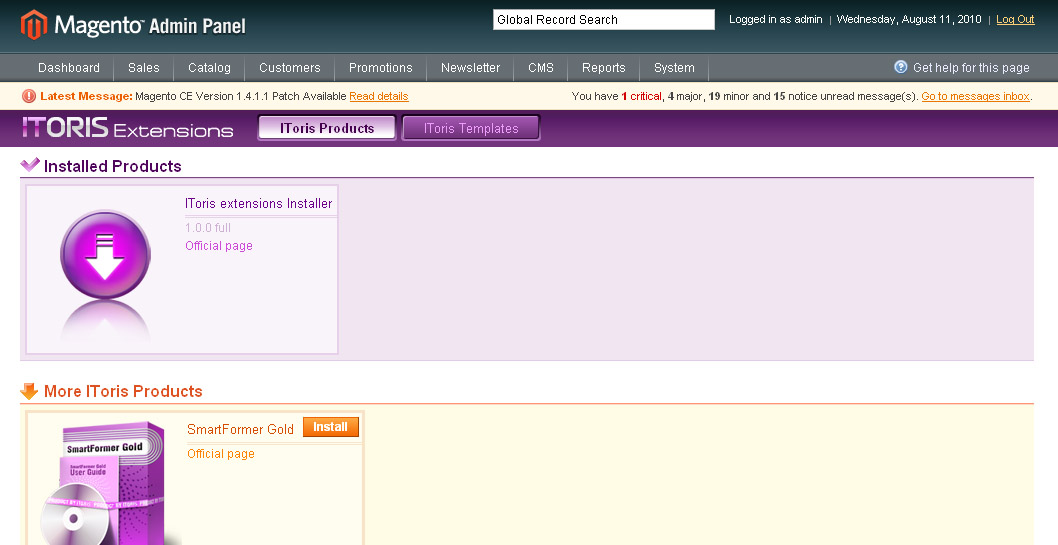
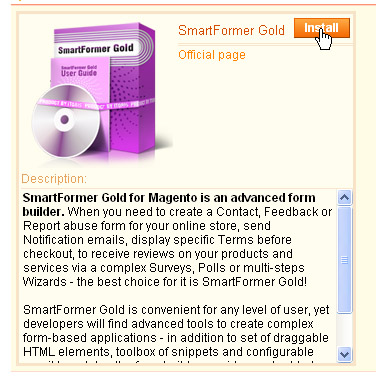
Each product goes in a separate box. The box can be clicked for additional details.
- If you have not installed a product yet – you will have Install button.
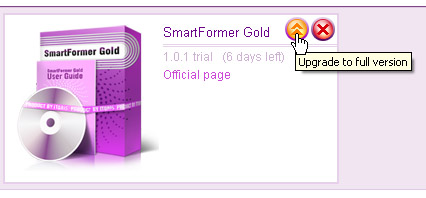
- If you have installed the product already - you will see if the version you have is a trial or full version, will be able to activate trial, to update to the latest version or to delete an extension.
10 REASONS TO CHOOSE

|
Risk-Free Investment
No risk at all. 60-day money back guarantee.
|
Simple Licensing
One license per one Magento® installation. No store, website, or domain limitation. No monthly or hidden fees.
|
|
Free Updates
Get six months of free updates! Simply download the latest version of your favorite extension from our website when you need it.
|
Free Installation Service
Contact Us and we will help you install our extensions absolutely for FREE.
|
|
Full Open Source
No obfuscation, no encryption. Only Full Open Source extensions. Ideal for customizations.
|
Following Magento® Standards
All our extensions are written following Magento® code standards.
|
|
Professionally Tested Modules
We do our best to keep quality of our extensions: performance, functional, and cross-browser testing.
|
Comprehensive Documentation
Detailed documentation for all extensions is available online and in PDF. Forum and FAQs.
|
|
Outstanding Support
Free and friendly EST time support. Help, tips & tricks, and even small customizations will be provided.
|
Long Term Strategy
8+ years in eCommerce. We grow to provide you even better services and extensions, and are always open to customers' suggestions.
|




