


Username
Password
Remember Me
Log in
Forgot your password?
Forgot your username?
Forgot your username?
|
SFG Digital Signature plugin User Guide
IntroductionDigital Signature plug-in is used to sign the forms using the mouse movement. With it you can omit paper contracts, agreements, etc. Your users will fill in documents online and sign them by moving the mouse directly on their computer. The plug-in can be purchased from this page here. After the payment is made you will receive the email with your login details. Please use them to log in to //www.itoris.com and download the Digital Signature plug-in and save it on your PC.
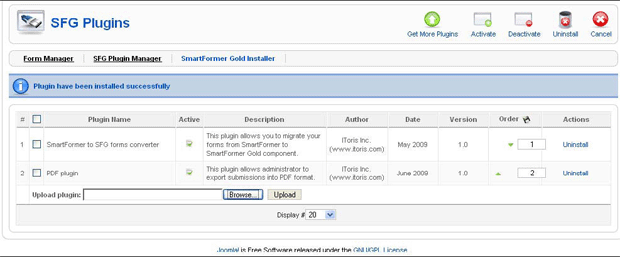
InstallationTo install Digital Signature you should have Smart Former Gold installed and activated. Please open the admin area and select Smart Former Gold (SFG) from the menu (Components –> Smart Former Gold -> SFG Plugin Manager). You will see the page with all your SFG plug-ins and the ability to install new plug-ins.
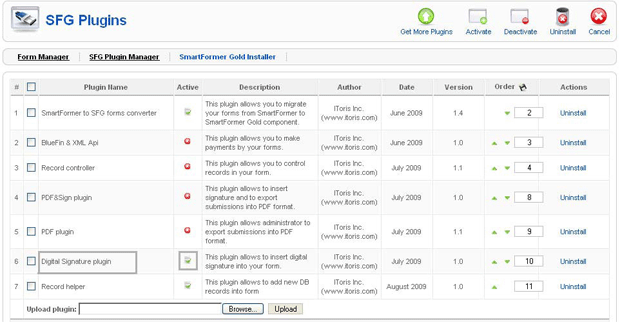
Under the list of plug-ins there is the ability to browse and upload the new plug-ins. Please click the Browse button to find your version of Digital Signature plug-in on your PC and upload it. After it is uploaded – you will see it in the updated list of SFG plug-ins.
If you see the Digital Signature plug-in – then it is successfully installed and activated. Now it is ready for use. If you do not see the Digital Signature plug-in or get an error during the installation – please contact Support Department. You will get the contact details in the email together with the login details.
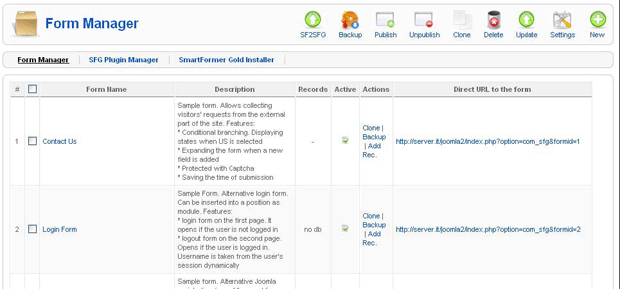
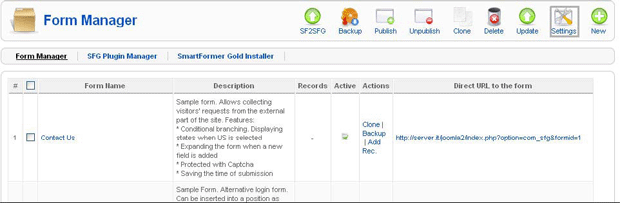
Adding Signature to the formAfter the plug-in is installed – please select a form in which you want to add the signature. The form can be selected in Smart Former Gold’s list of forms:
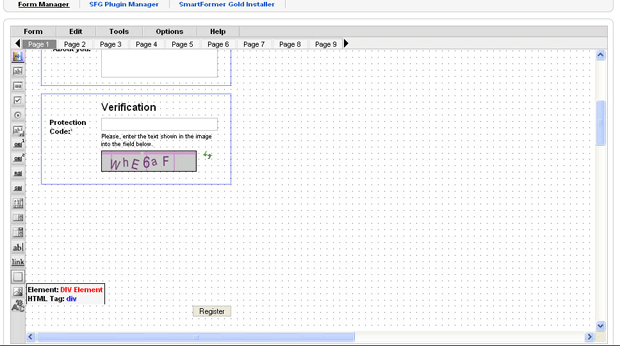
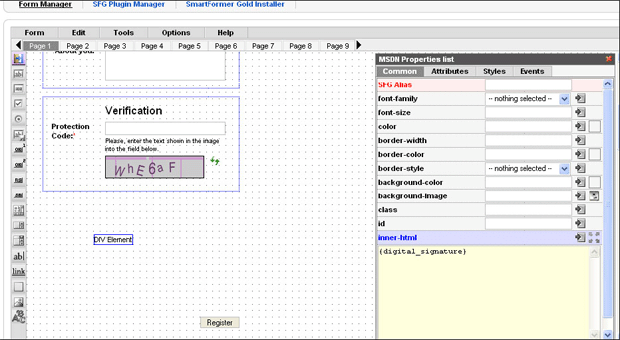
Please click the selected form’s name or create a new form. Select the place where you want the plug-in to be displayed. Each form has a number of available HTML-elements (they go on the left). Please select DIV element and drag it to the place where the signature should be.
Please click the DIV element added to the form. You will see the box with its properties. Add {digital_signature} to inner-html property.
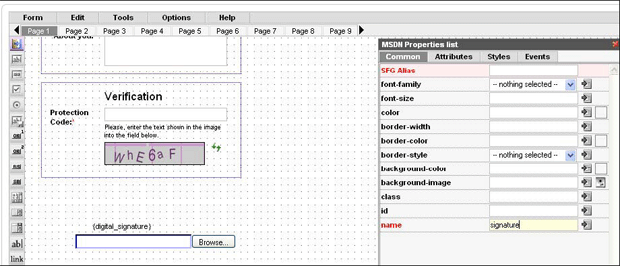
After that add an Upload-file HTML elements. Select it and in its name attribute add signature.
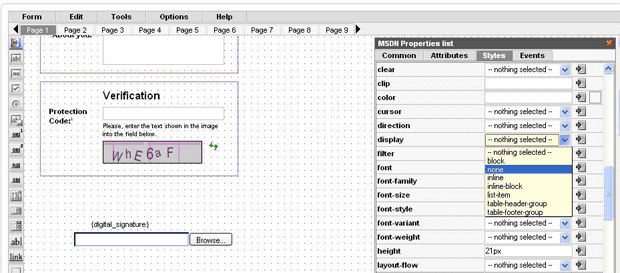
In the box of its properties you can see four tabs – Common, Attributes, Styles and Events. Please select Styles tab and find Display style there. Select none
Save the form.
Adding code to the formSo our signature is added to the page. Now to make it work correctly we should change the code of the form a bit. To do it please do NOT close the form. Select Tools –> PHP Editor from the menu above the form. You will see the code of the form. Please change it in the following way: $form->getPostedValues();
$sign_page = 1;// Number of page on which the signature is available. Starting from the 1st page require_once($GLOBALS['mosConfig_absolute_path'].'/administrator/components/com_sfg/plugins/imported/digital_sign_plugin/functions.php'); if ($form->page==($sign_page-1)){ if (!isset($form->files['signature']) && ($form->submitter != -1)) { $form->error = "Please sign the form"; $form->submitter = -1; } } $form->doAfterSubmitAction(); $form->renderForm(); $form->page_html = replaceDigitalSignature($form); echo $form->page_html;
BLUE – initial code RED – what should be added ORANGE – what should be added with your own data //GREY – description of data to be added Please copy the red and orange code and add it to the Editor. Add the page on which your signature is added in the orange line. Save the changes in the Editor and close it. Save the form again.
Front-end. SignatureTo check how the signature will look for your users please find the form with signature again in the list of forms. Each form in the list has Direct URL. Click it. You will see your form from the front-end.
So your signature will be displayed as the box with area for signing and two buttons – Validate and Clear.
User will fill in the form, and then write the signature using his/her mouse.
Clear button allows clearing up the area for signature. After the signature is added – user should press Validate button to validate the signature. If no signature is added and Validate button pressed – the error message “Please add your signature” is displayed.
Submitting form with signatureAfter the form with signature has been submitted by user – this submission (record) is available in the list of records. The signature (converted to image) is also kept there. Each record can be opened and viewed (please see Smart Former Gold’s manual for more details).
SettingsThe plug-in’s properties are added to the properties of Smart Former Gold. Please open the main page of Smart Former Gold (list of forms) and press Settings button in the top button bar.
Below the Gold’s properties there will be the area for Signature plug-in’s ones.
|
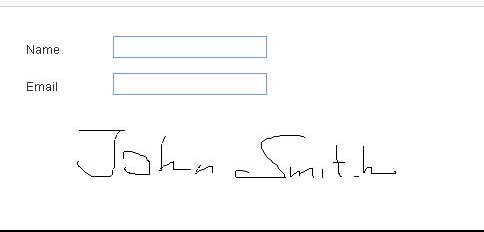
 Your File-Upload HTML element will disappear after that, it is correct.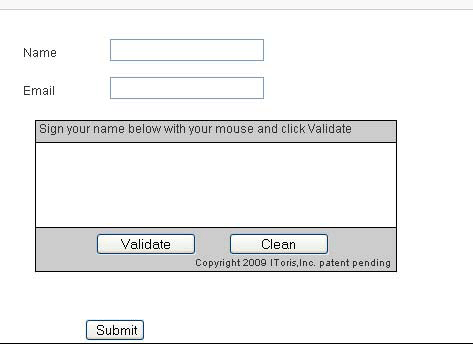
 Digital signature box takes some place, so perhaps you will need to edit the form in admin area a bit, shifting the elements and buttons under the signature down.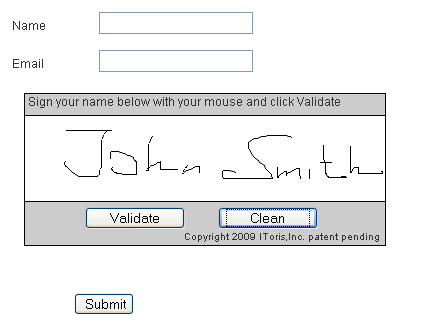
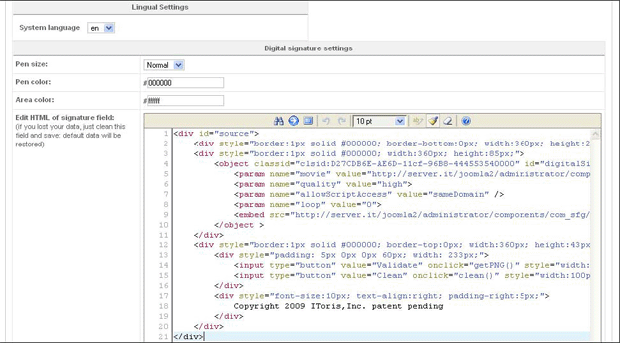
 - please clear this filed and save the changes and the form. It will return to default settings.